Building a Prototype-First Workflow
A Moving Target
The value of this project is less about its raw business impact and more about what I believe is the future of design’s craft. Designers collaboratively prototyping in code, in a way that respects engineering conventions and adheres to the design system.
Here’s the short version. I built a harness that encoded our standards, so three designers with minimal coding experience could prototype consistently in code. That decision let us stand up the workflow and deliver an MVP in five weeks, under a deadline of “as soon as possible.”
Why Figma Wasn’t Enough
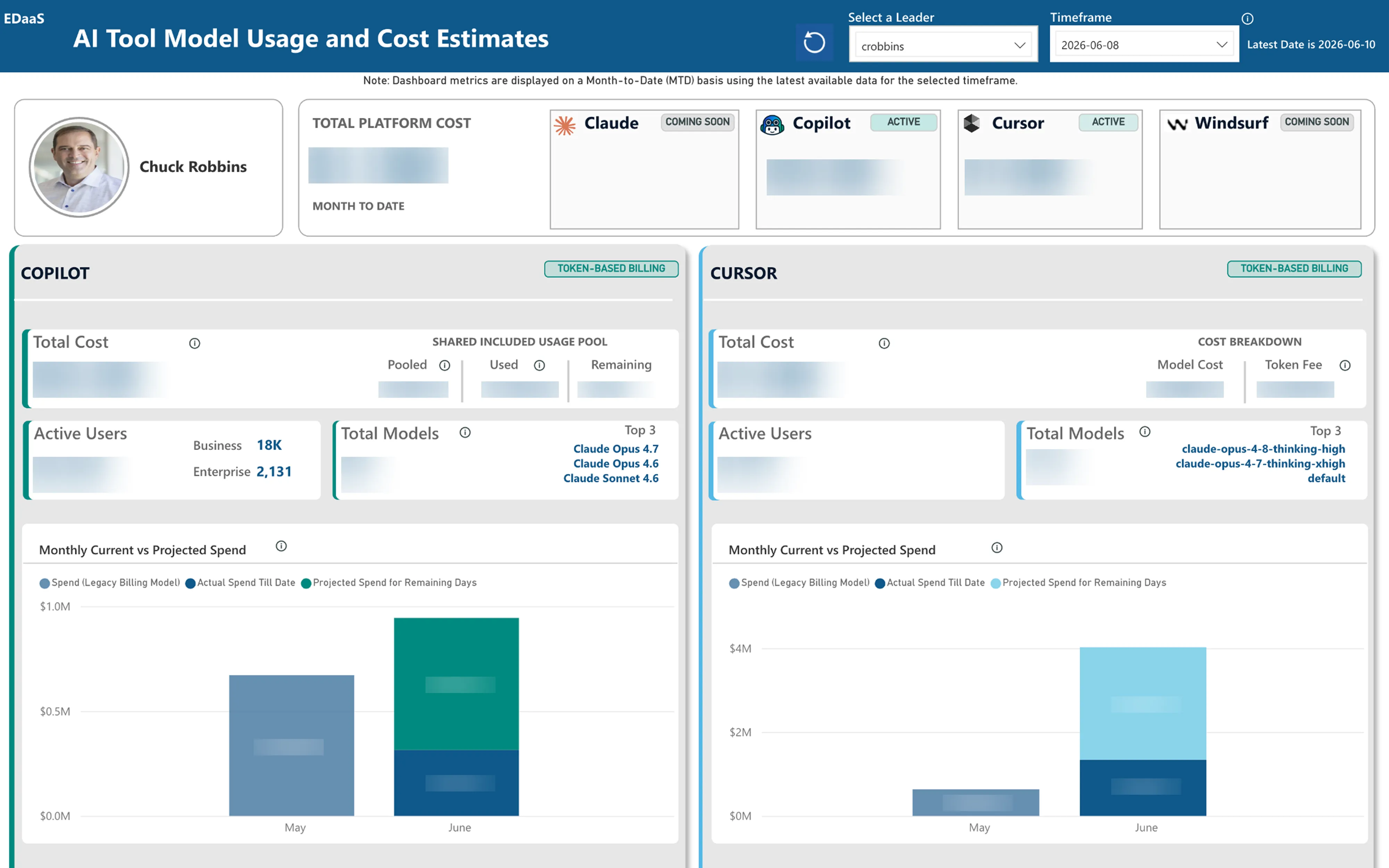
Our company had built an internal dashboard to allow executives, finance leaders, and people managers to track AI token costs, and leadership largely loathed it for its poor user experience. They brought in my team of designers to help right the ship.
After our debrief, two things were clear: we needed to move as fast as possible, and the product brief was still taking shape. Designing for a moving target that leaned heavily on data visualization, in Figma, felt slow, tedious, and risky. Static mockups of charts that might change tomorrow weren’t going to keep pace with expectations.
The answer was simple. We needed to prototype in code.
Building the Harness
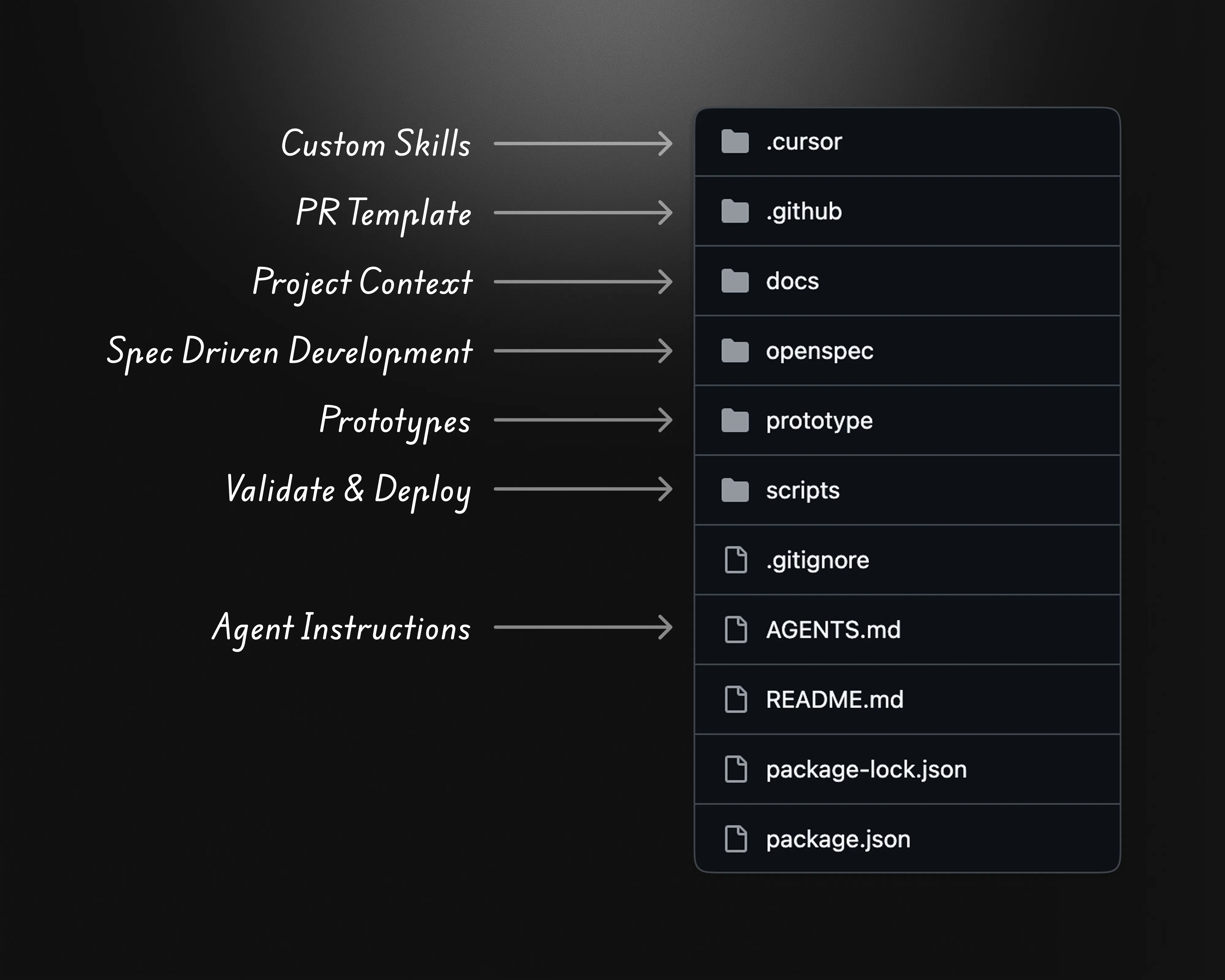
The catch was that most of the team had never worked this way. So instead of asking designers to become engineers, I built a harness: a shared repository that encoded our standards and acted as guardrails for both the designers and the agents writing code with them.
In the harness, I:
- Established the tech stack and its dependencies, matching the production codebase
- Provided an index and shared chrome for every prototype, so each one was easy to find and felt like part of the same product
- Set up project context for both the agents and the team: agent instructions, a PR template, and spec-driven development docs
- Wrote custom skills, scripts, and templates to keep agent output consistent with the project’s standards, plus validation and deployment scripts to catch what slipped through
Because the prototypes used the same stack as production, they gave us speed and flexibility without sacrificing our standards. They also tightened our feedback loops with engineering, gave us an ideal format for stakeholder feedback, and kept prototypes consistent no matter who authored them.
Skills as Institutional Memory
Skills were the heart of the harness. I wrote each one to capture how a recurring task should be done in our codebase (the structure, conventions, and definition of done). The agent loaded them only when relevant.
The one designers reached for most was /tokenomics-new-version, which I created to scaffold a new prototype, either a net-new direction or an iteration on an existing one. Designers could invoke it by name or simply by describing what they wanted to try. The skill decided what to reuse, what to fork, and how to verify the result, so every new version started from the same footing.
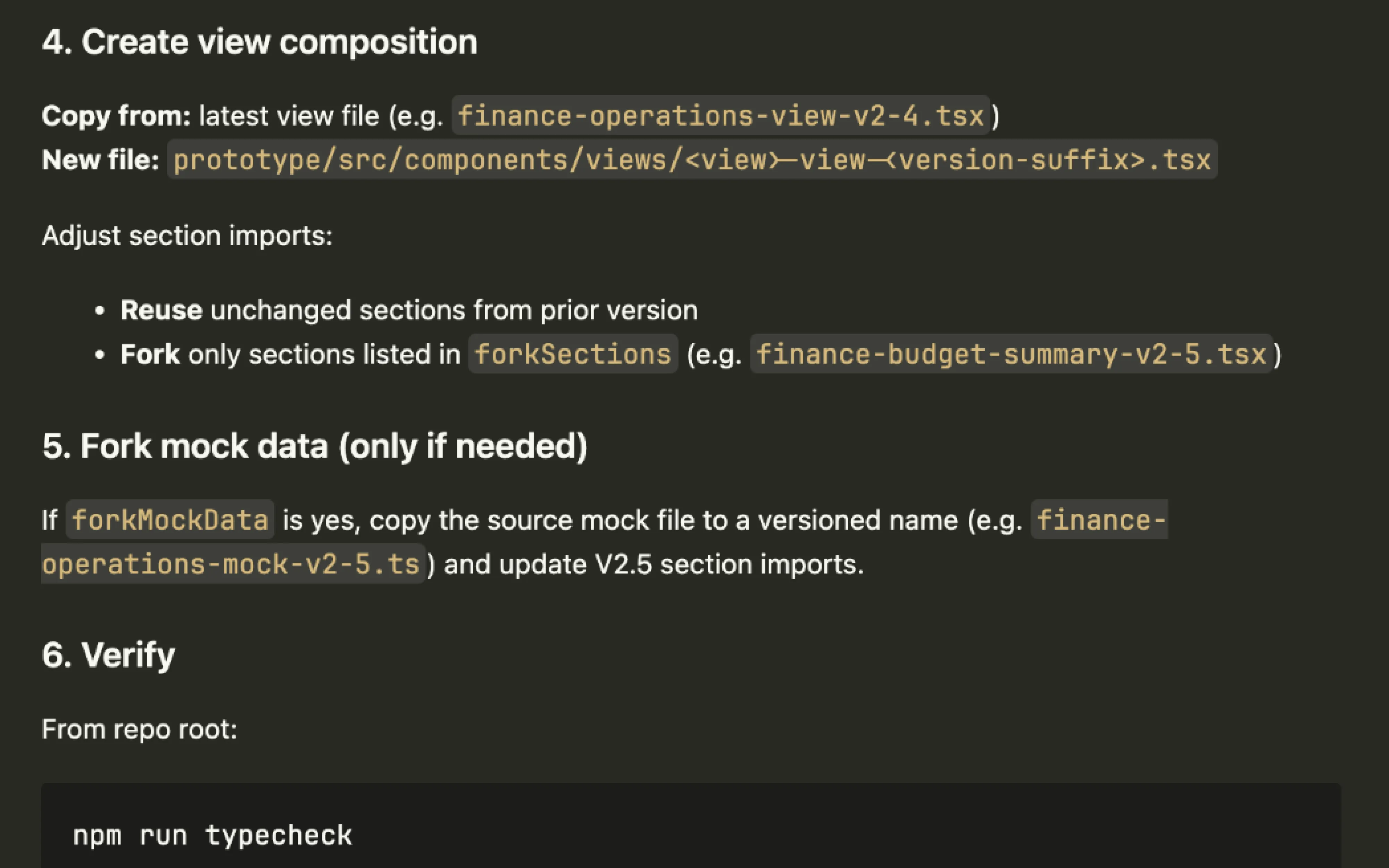
For designers with little coding experience, this meant they could direct the agent by intent. Skills set the default path and told the agent how to check its own work, and the automated checks I built into the harness caught anything that slipped past.
Working in Parallel
I set up a shared index where each designer could independently develop prototypes and publish them for review. That let us:
- Explore multiple threads at the same time
- Identify and promote shared patterns across the repository
- Share the latest prototypes directly with users, executive stakeholders, and engineers for feedback and testing
What the Harness Let Us Design
Speed only matters if the work holds up. Because every prototype ran on real components and realistic data, we were designing the actual experience. That meant live charts, real states, real density. This allowed us to refine details that a static mockup would have glossed over.
The clearest example is the overall spend card. It was the one component every persona saw. Whether you were an executive managing an organization, a people manager overseeing a team, or an individual contributor, the first thing on the page was your spend relative to your limit, paired with a status you could read at a glance.
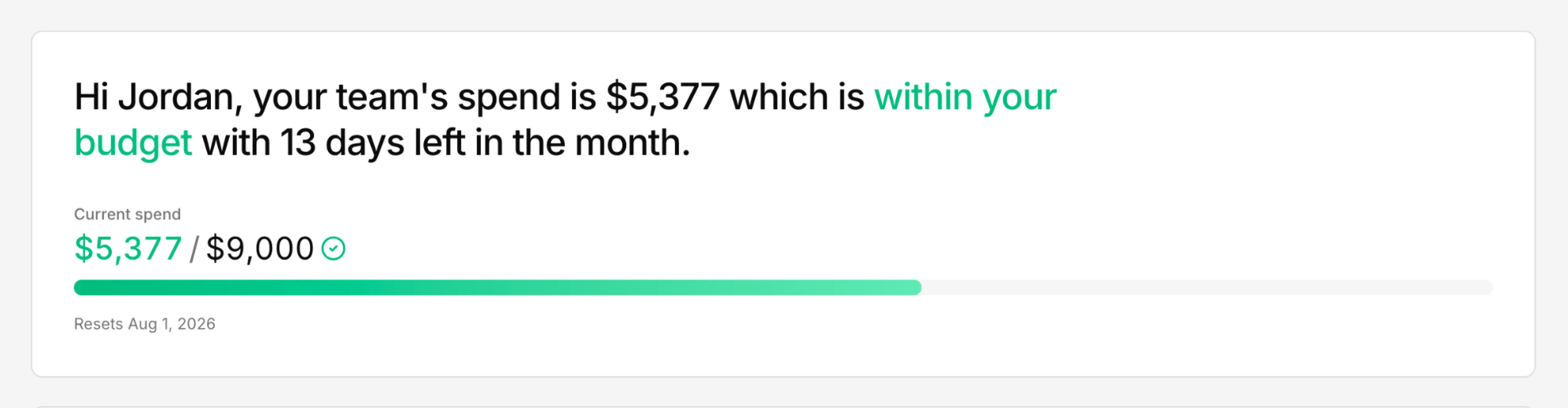
It leads with meaning, not numbers. “Within your budget with 13 days left in the month” answers the question the old dashboard made you work out yourself, and the status color carries through to the figure and the progress bar so the card reads the same way at every level of the organization.
Below it, the cards dive into how that spend is shaped, with progressively more detailed data tailored to each persona. A people manager, for instance, sees their spend broken down by direct report, by AI tool, and by model:
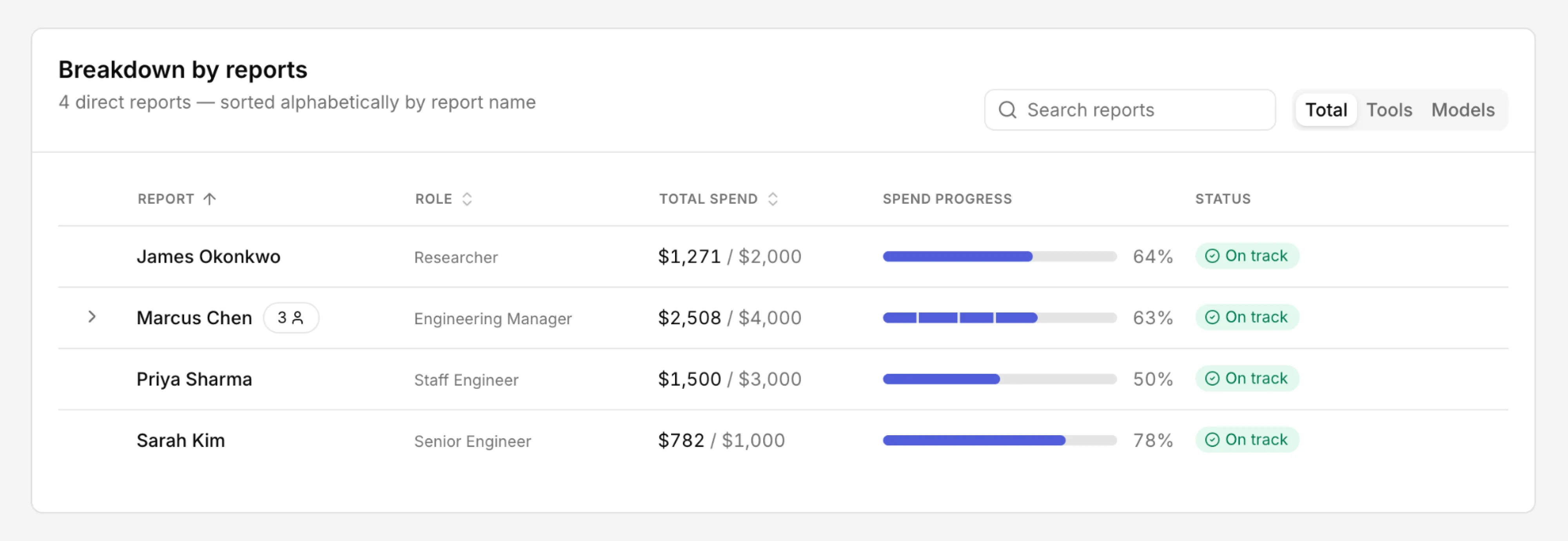
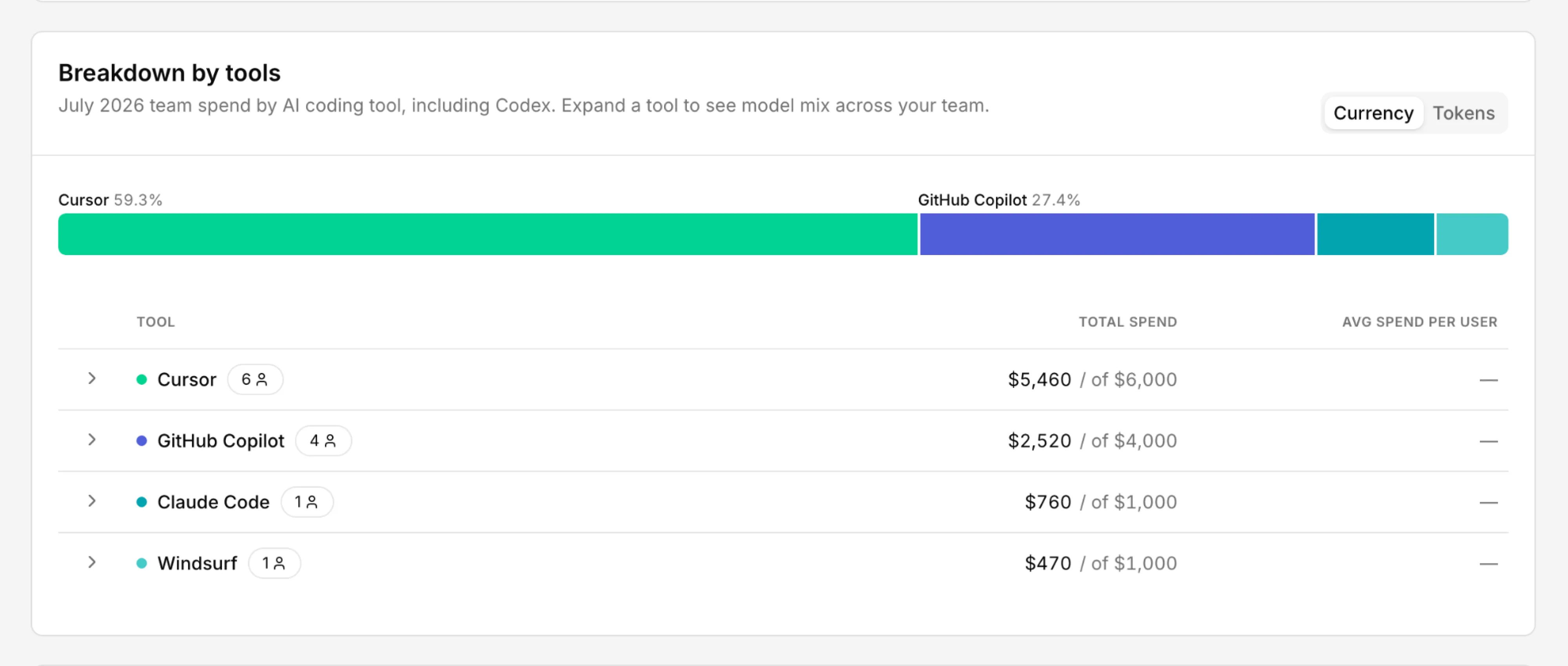
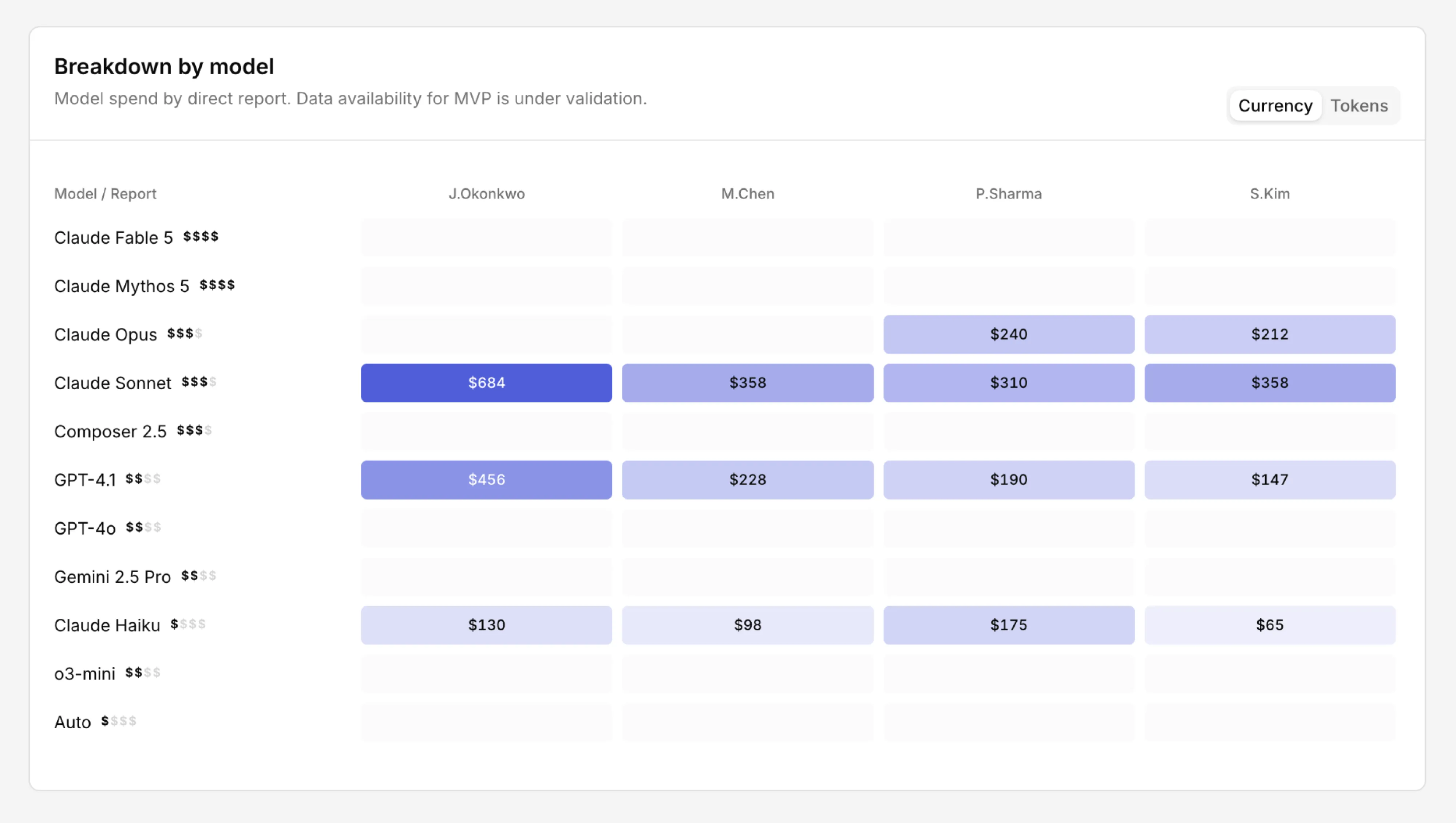
These patterns held across views and authors because I gave them a home in the harness. Once a component proved itself in one prototype, the team promoted it into a shared, versioned pattern, so the next designer started from the refined version rather than rebuilding it.
Five Weeks, Fifty-Four PRs
When we started, no one on the team had worked this way. Git, pull requests, commits, branching and merging, skills — all of it was new. By the end, the team had developed dozens of prototypes, closed 54 PRs, and delivered the MVP in five weeks. That MVP went on to replace the old dashboard and roll out company-wide.
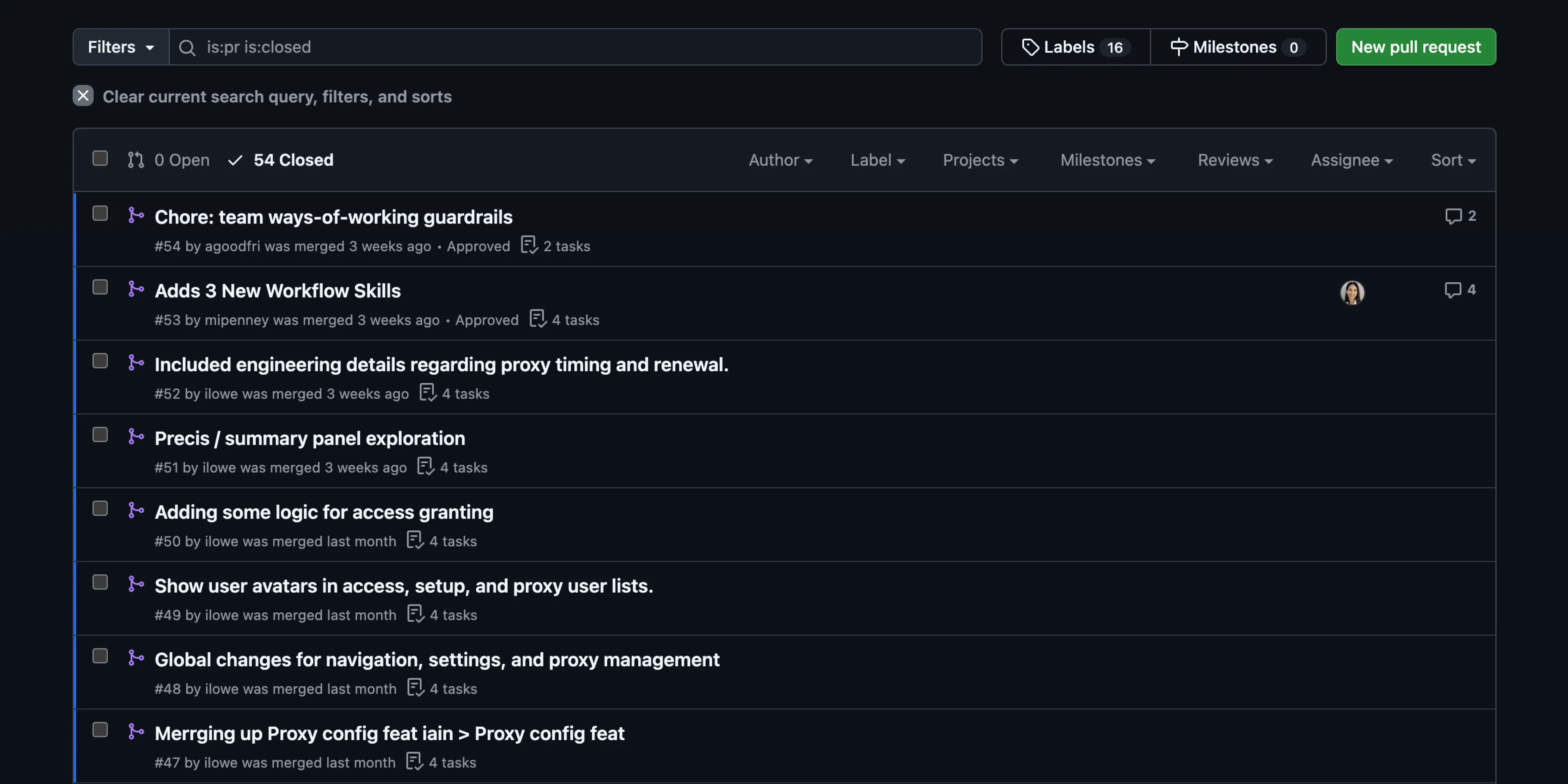
“You all pulled together and delivered in a timeframe that would’ve seemed crazy a few years ago.”
— Leader of Engineering Productivity & Platforms
The Future of the Craft
The catalyst was the harness. It let the team prototype flows, patterns, and components at a pace that was previously impossible, in a format engineering could build from directly.
I don’t think this replaces design tools or design judgment. But designers collaboratively prototyping in code, in a way that respects established engineering conventions and adheres to the design system, is where I believe our craft is heading. The harness is what made it possible for a team that had never done it before.